Your Letterboxd
Your Letterboxd is a self-hosted stats dashboard for Letterboxd. It copies your films, ratings, diary and watchlist from your public Letterboxd profile into a SQLite database on your own machine, adds budget, box office, keyword and certification data from TMDB, and shows the results as charts and lists. It runs in Docker and syncs once a day.
Free and open source (AGPL-3.0). Needs Docker and a free TMDB API token.
Why use it
It adds budget, box office, keyword and certification data from TMDB to your films, and keeps all of your data in a SQLite database on your own machine.
How your data gets in
You don’t upload a Letterboxd export. You give the app your Letterboxd username, and it reads your public profile pages with the letterboxdpy library. It collects every film you have marked as watched, including films with no diary date, along with your ratings and likes, every diary entry, your watchlist, and your profile’s favourites and counts. For each film it also reads the film’s Letterboxd page: title, year, runtime, genres, cast and crew, countries, languages, studios and the Letterboxd average rating. Your profile has to be public.
Each film page links to The Movie Database (TMDB). After the Letterboxd sync, the app looks up every film that has no TMDB data yet and stores its budget, worldwide revenue, TMDB rating, US certification, keywords, collection (for example a franchise such as Mission: Impossible) and the services that stream it in the US.
The sync runs on a schedule, once a day by default, and the Sync Now button on the Profile page starts one straight away. There is no sync when the container first starts, so on a new install you press Sync Now or wait for the schedule. The app waits 4 seconds between requests to Letterboxd and 0.3 seconds between requests to TMDB, so the first sync takes at least 4 seconds for every film on the profile. If Letterboxd starts refusing requests, the sync stops and carries on from where it left off at the next run. Films that are already stored are not fetched again.
Dashboard
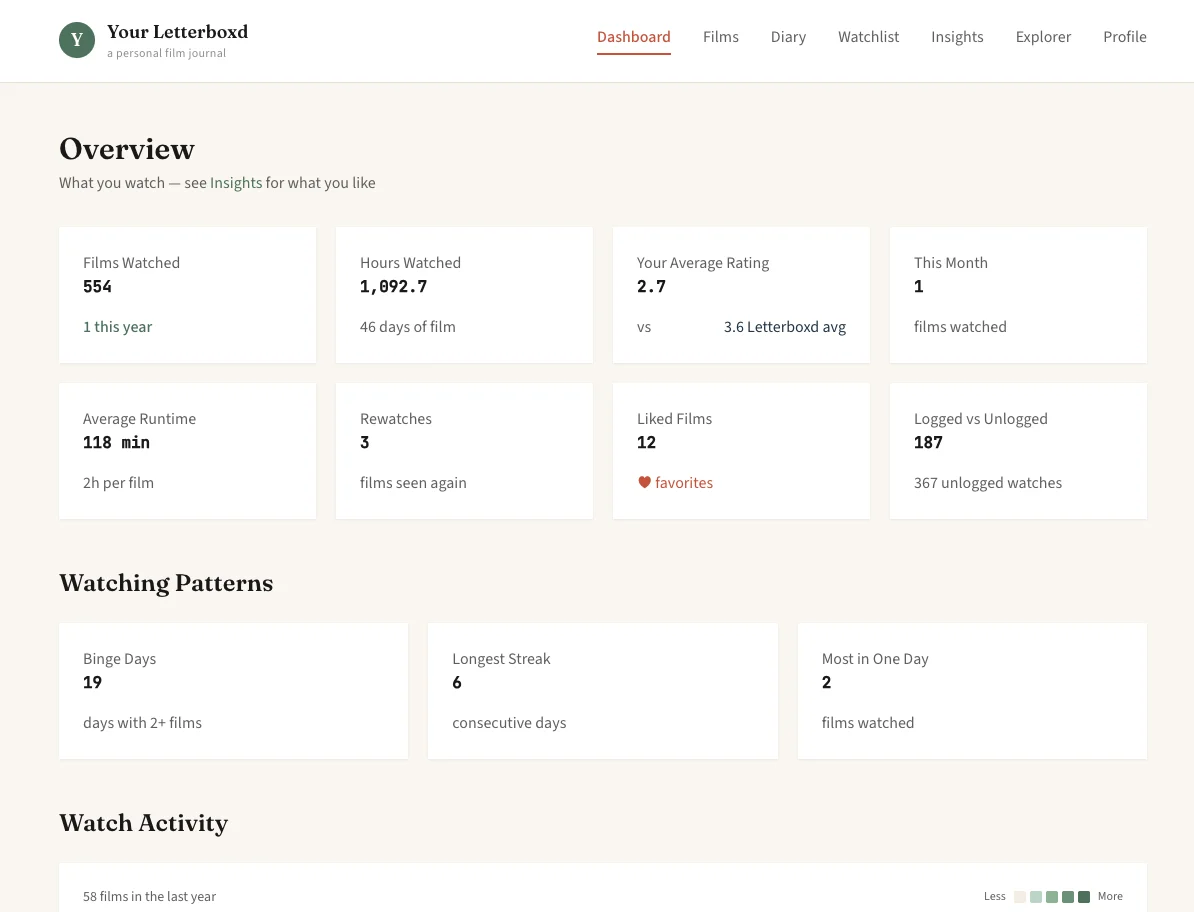
The Dashboard opens with tiles for films watched, hours watched, your average rating next to the Letterboxd average for the same films, films this month, average runtime, rewatches, liked films, and how many of your films are logged in the diary. Watching Patterns counts binge days (days with two or more films), your longest run of consecutive days with a film, and the most films you watched in one day.
Below these are a calendar heatmap of the last 365 days, a chart of films by day of the week, the distribution of your ratings in half stars, films per month, and films watched per year.
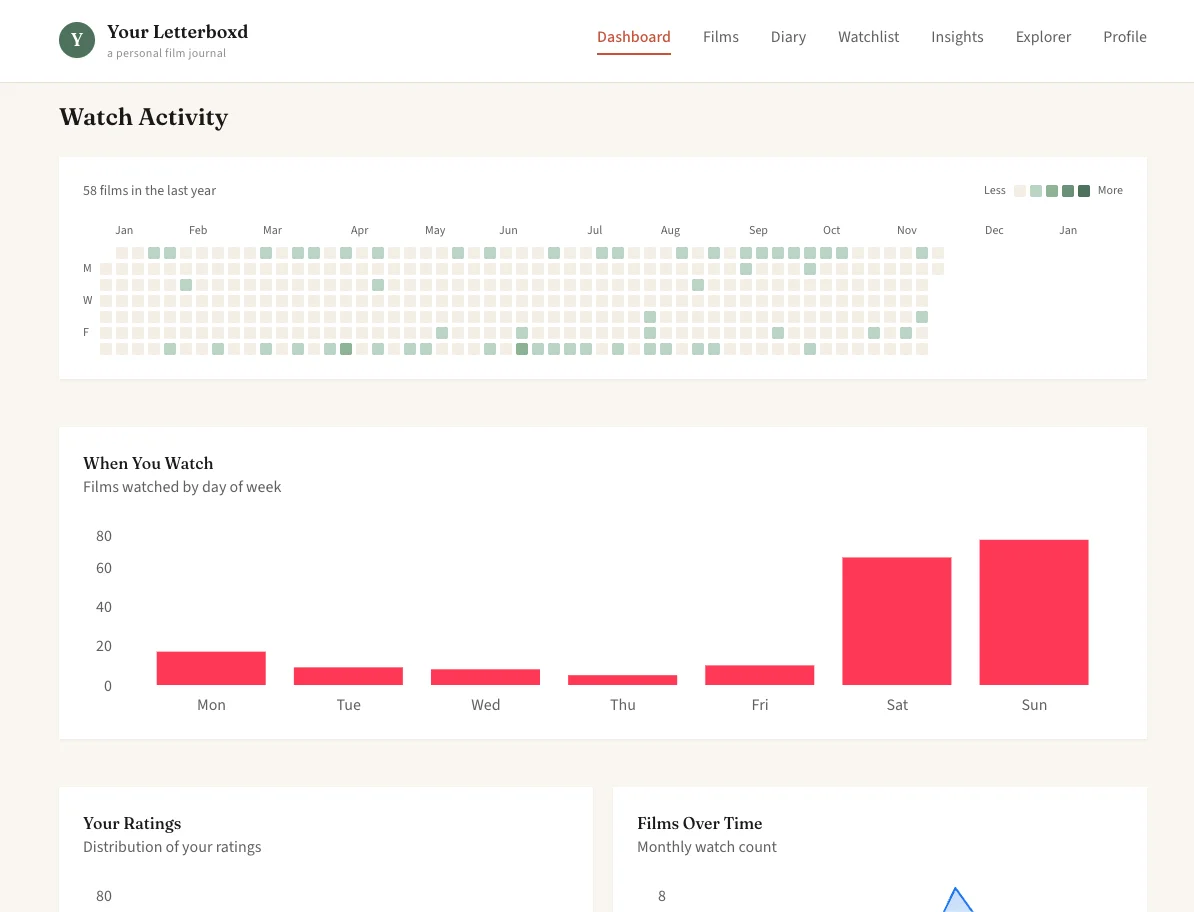
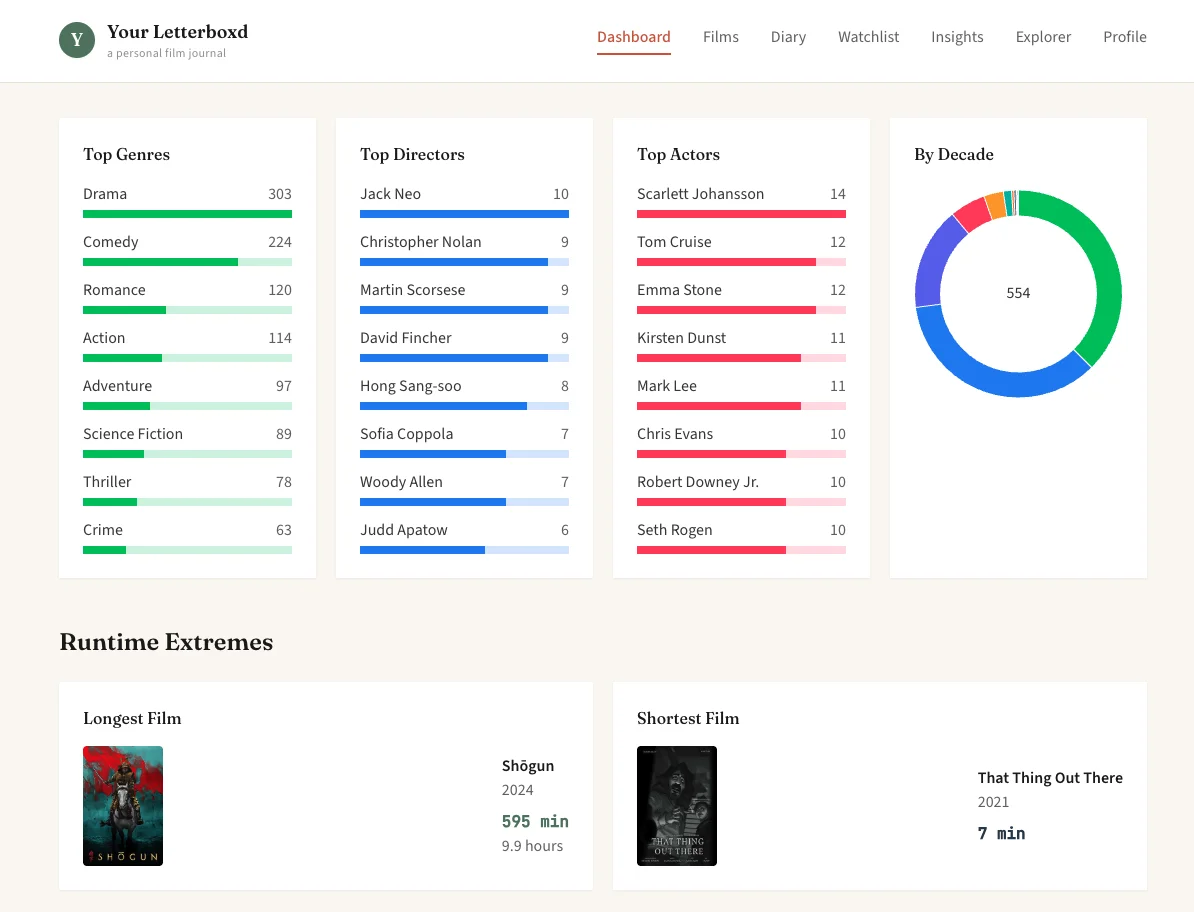
The rest of the Dashboard lists your most-watched genres, directors and actors, a breakdown by decade, the longest and shortest film you have seen, your top countries, languages and studios, and your top writers, composers and cinematographers. It ends with posters of your 12 most recently watched films and your recently liked films.
Films, Diary and Watchlist
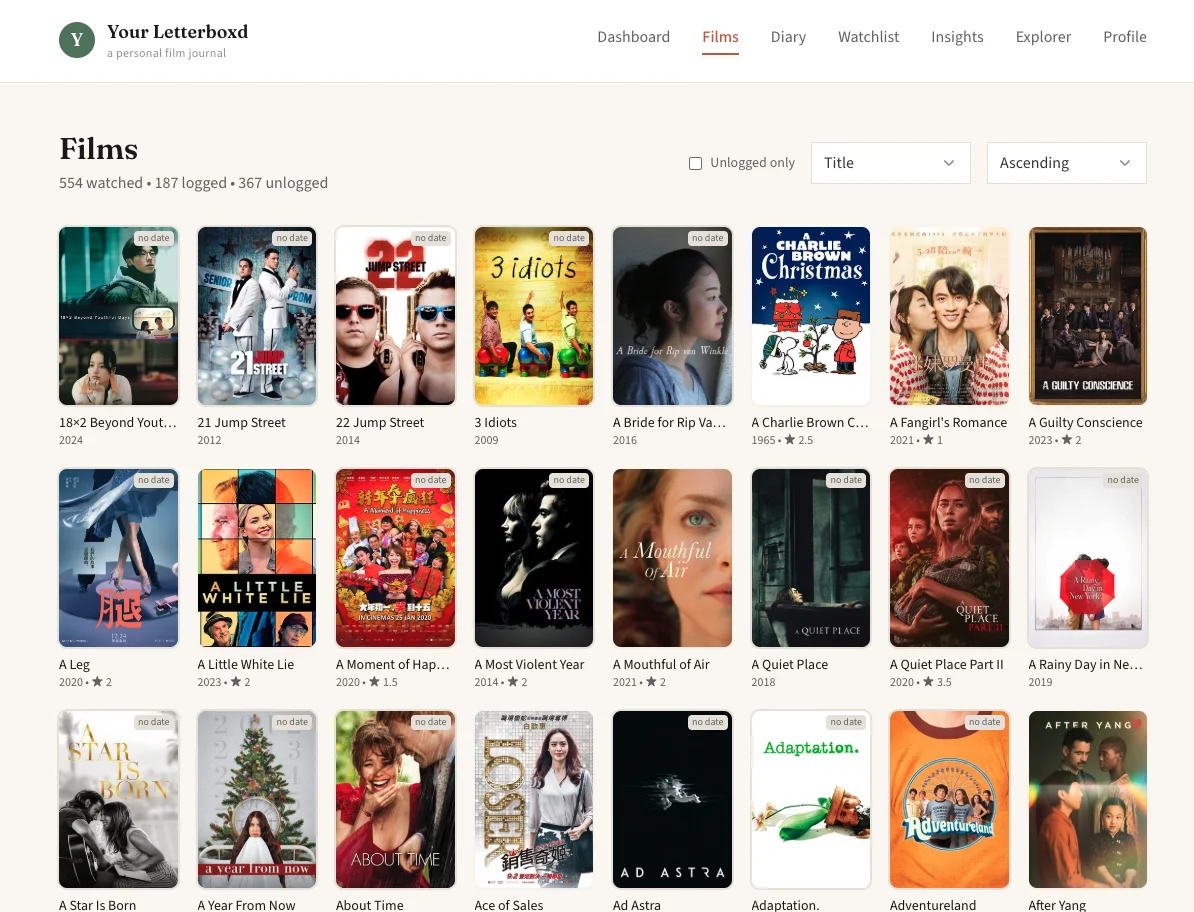
Films shows the poster of every film you have marked as watched, with the year and your rating. You can sort by title, year or rating, and the Unlogged only box shows just the films with no diary entry. Those films carry a “no date” tag, and films you have watched more than once show the number of watches.
Diary lists your diary entries by month, newest first, with the date, poster and your rating. Watchlist shows the films on your Letterboxd watchlist and their total running time in hours.
Each film has its own page with your rating and the Letterboxd average, the synopsis, the cast, countries, languages and studios, the dates you watched it and whether each watch was a rewatch, and the TMDB budget, box office, certification, collection and keywords.
Insights
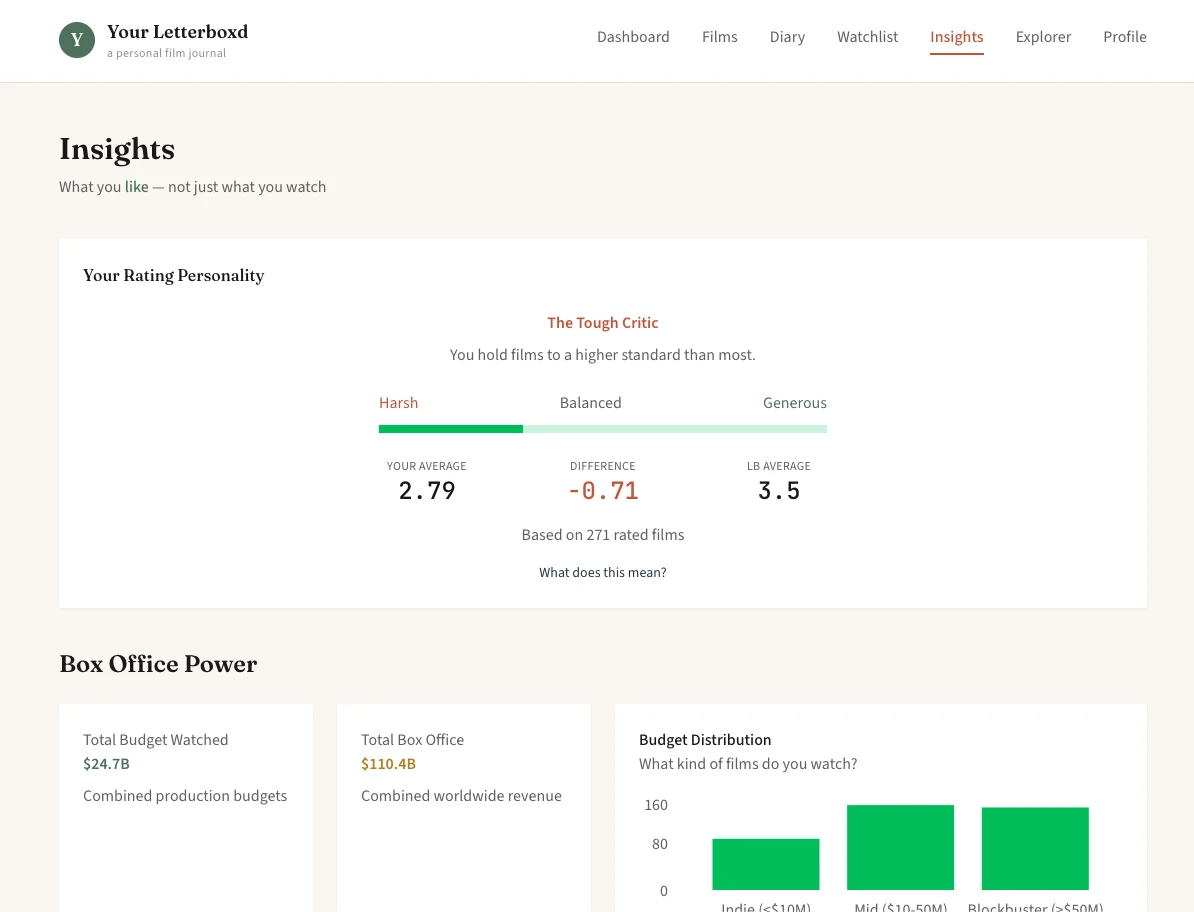
Insights compares your ratings with the Letterboxd averages and uses the TMDB data. Your Rating Personality is your average rating minus the Letterboxd average for the same films. A gap below −0.3 is labelled The Tough Critic, a gap above +0.3 The Generous Viewer, and anything between The Balanced Judge.
Box Office Power adds up the production budgets and worldwide box office of the films you have watched, splits them into indie (under $10 million), mid-budget ($10–50 million) and blockbuster (over $50 million), and lists the biggest budgets and the films that made the most money relative to their budget.
The page also shows your average rating by genre (genres with at least 5 films), the directors you rate highest (2 or more films) and the actors you rate highest (3 or more films), a breakdown of certifications, the TMDB keywords you rate highest and lowest, your average rating by the year you first watched each film and by the decade it was released, and the franchises you have watched films from.
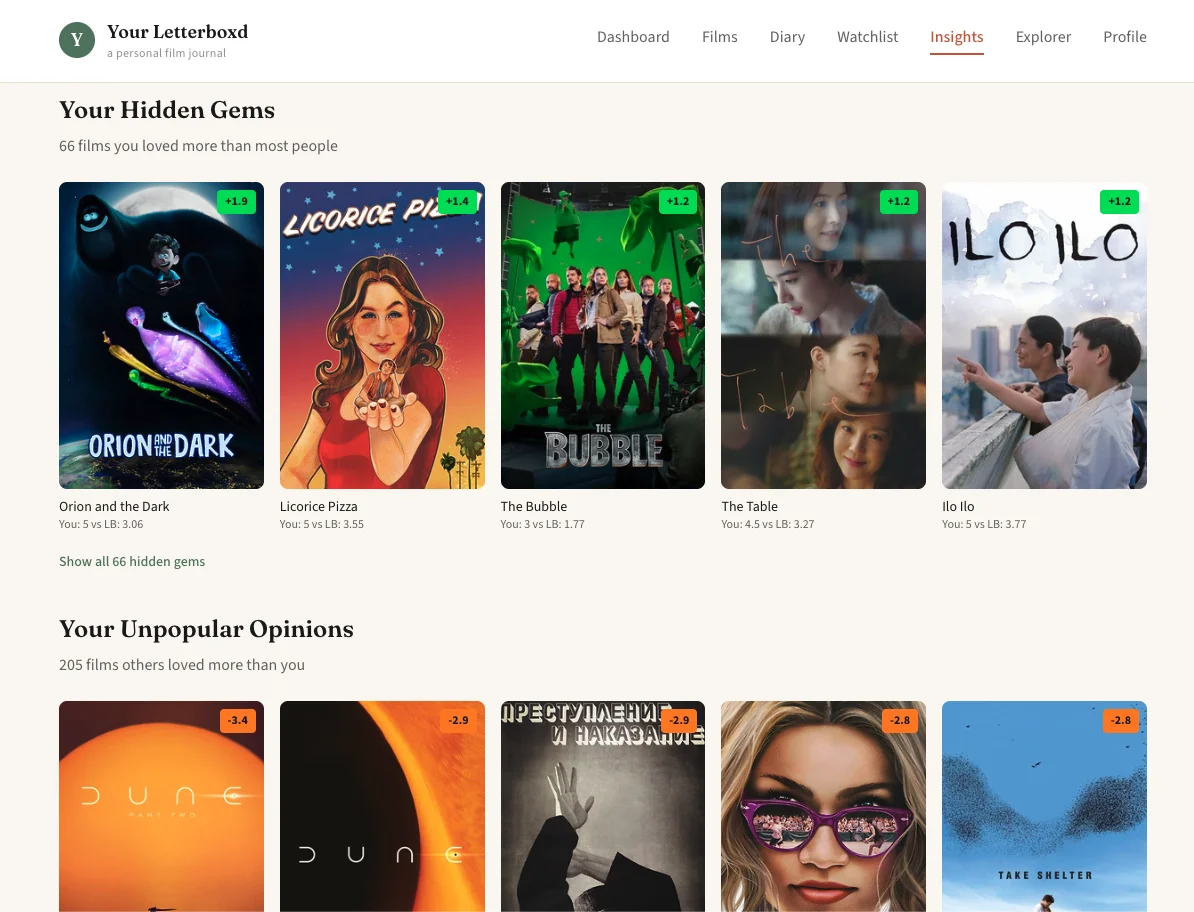
Your Hidden Gems lists the films you rated above their Letterboxd average, largest gap first, and Your Unpopular Opinions lists the films you rated below it. Each poster shows your rating, the Letterboxd average and the difference.
Data Explorer
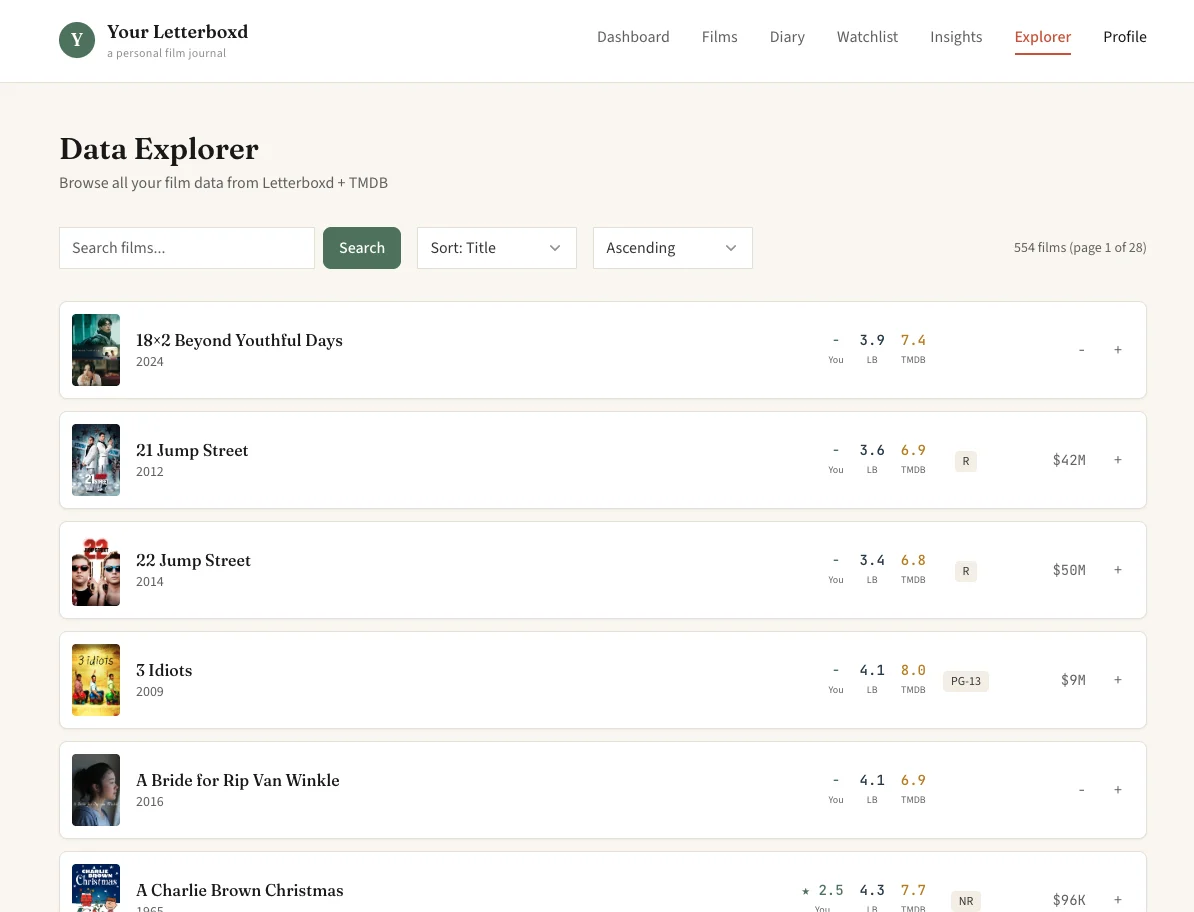
Explorer is a table of every watched film, 20 to a page, with your rating, the Letterboxd average, the TMDB rating, the certification and the budget side by side. You can search by title and sort by title, year, your rating, budget, revenue or TMDB rating. Opening a row shows the Letterboxd and TMDB data next to each other, your watches, and the streaming services that carry the film in the US.
Installing it
You need Docker with Docker Compose, a public Letterboxd profile, and a TMDB API Read Access Token, which
is free from your TMDB account settings. The image is published on Docker Hub as
yuyangchee98/your_letterboxd:main and on the GitHub Container Registry. To run it:
- Create a
docker-compose.ymlfrom the one in the README. It maps port 60007 to the app and keeps the database in a./datafolder. - Create a
.envfile next to it withLETTERBOXD_USERNAMEandTMDB_ACCESS_TOKEN. - Run
docker compose up -dand openhttp://localhost:60007.
SYNC_SCHEDULE sets the sync time as a cron expression (the default is 06:00 every day), and
SYNC_MIN_DELAY and TMDB_MIN_DELAY change the wait between requests. The app has a
light and a dark theme.
More self-hosted
All self-hosted →